


| WARNING! It's very easy to make a mess here, so it would be a good idea to make a backup of your SD card before doing this. You should read the entire section before trying to do any of it! |
Installing the WiFi adapter
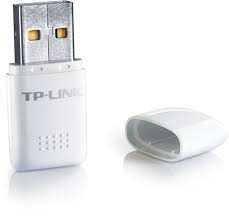
The Banana/Raspberry Pi's are very finicky when it comes to WiFi adapters  so you need to do some research before buying one. A list of wifi adapters known to work with a Raspberry Pi can be found here, and Mikronauts have done some research on adapters that work with a Banana Pi.
I chose a TP-Link TL-WN723N.
 After plugging it in, lsmod showed that the 8188eu driver had been loaded for it:
 lsusb also showed it connected:
Configuring the access point
First, we want to give the wifi adapter a fixed IP address, so add the following to /etc/network/interfaces[1]Note that wlan0 is the on-board wifi that I use to connect to the internet with, wlan1 is the USB WiFi adapter.:
allow-hotplug wlan1
iface wlan1 inet static
address 10.0.1.0
netmask 255.255.255.0
Next, we need to install hostapd, that will allow the bPi to function as an access point:
sudo apt-get install hostapd-ap6210
Configure hostapd by editing /etc/hostapd/hostapd.conf and changing the following settings:
interface = wlan1
ssid = ...YOUR SSID NAME...
wpa_passphrase = ...PASSWORD...
Now we can run hostapd:
sudo hostapd -B /etc/hostapd/hostapd.conf
If hostapd doesn't work
If you get a "invalid/unknown driver 'nl80211'" error[2]Or a "nl80211 driver initialization failed." error., nl80211 driver support is not available and we will have to compile hostapd from source.
First, install the packages needed to compile:
sudo apt-get install gcc git make
sudo apt-get install libnl-3-dev libnl-genl-3-dev openssl libssl-dev pkg-config
Then, get the source for hostapd:
cd /tmp
git clone git://w1.fi/srv/git/hostap.git
Then, configure it:
cd hostap/hostapd
cp defconfig .config
Edit .config and make sure that CONFIG_DRIVER_NL80211=y and CONFIG_LIBNL32=y are active i.e. not commented out.
Then, compile and install it:
make
sudo cp hostapd /usr/sbin/
If hostapd still doesn't work 
In my case, it turns out I need to use a customized version of hostapd provided by RealTek  Fortunately, Jens Segers has done some work to make this process easier.
If you already installed the distro hostapd, remove it:
sudo apt-get autoremove hostapd
Install the packages needed to compile:
sudo apt-get install gcc make
sudo apt-get install openssl libssl-dev
Get the source for the customized hostapd:
cd /tmp
wget https://github.com/jenssegers/RTL8188-hostapd/archive/v2.0.tar.gz
tar -zxvf v2.0.tar.gz
Compile hostapd:
cd RTL8188-hostapd-2.0/hostapd
make
sudo make install
Configure hostapd.conf as described above, then try to start it:
sudo service hostapd start
Configuring DHCP
Hopefully, you should be able to connect to the access point, so we now need to update our DHCP server to assign IP addresses to any computers connecting via WiFi.
 Edit /etc/default/isc-dhcp-server and add the new interface to INTERFACES.
 Edit /etc/dhcp/dhcpd.conf and add another subnet entry e.g.
    subnet 10.0.1.0 netmask 255.255.255.0 {
        range 10.0.1.100 10.0.1.199 ;
        option domain-name-servers 10.0.0.1 ;
        option routers 10.0.0.1 ;
    }
Then restart the DHCP service:
sudo service isc-dhcp-server restart
You should now be able to connect to the access point, be given an IP address, and get online.
| « Setting up NAT | Tutorial index | Setting up DNS-based ad-blocking » |


 I am a

Hi,
Are you sure that Bananapi onboard wifi module doesn't support HOTSPOT ?
I am asking this question since you are using external WiFi adapter.
With onboard wifi I created HOTSPOT but I am unable to discover it from either mobile or desktop.
Thanks,
Kiran.
>>> Are you sure that Bananapi onboard wifi module doesn't support HOTSPOT ?
I don't think I said that anywhere. I need 2 adapters, one to get online with, one to act as a hotspot for my other devices. IIRC, I have set the onboard adapter to work as a hotspot, so it is possible...